
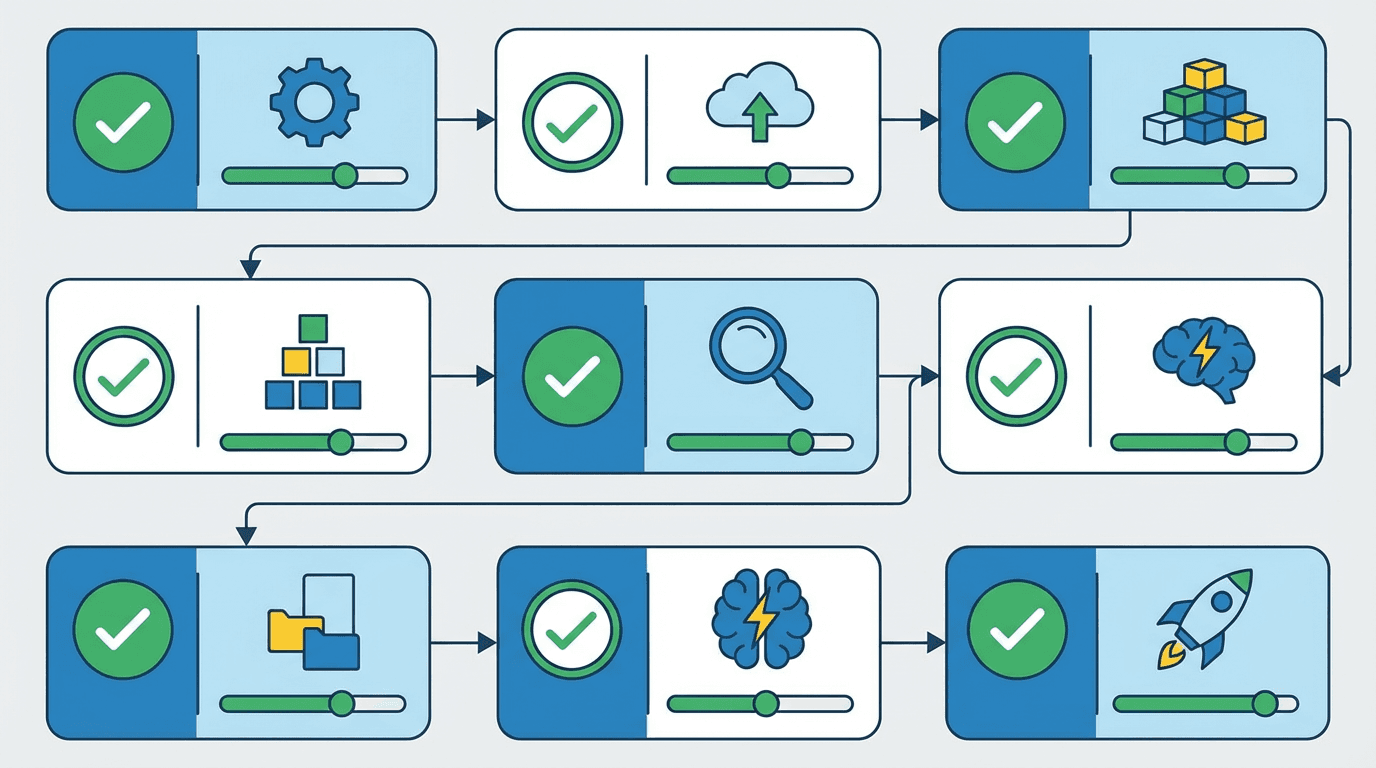
Gening AI Checklist: 15 Essential Steps Before Your First Character Chat
Complete Gening AI checklist covering setup, safety settings, character creation, and best practices for role-play and creative storytelling.
Gening AI Checklist: 15 Essential Steps Before Your First Character Chat
The world of AI character chat is exploding, and Gening AI has emerged as a powerful platform for creative storytelling and role-play. But before you dive into your first conversation, you need a systematic approach to ensure you're set up for success, safety, and the best possible experience.
This comprehensive Gening AI checklist walks you through everything from technical requirements to content quality testing, giving you a clear roadmap to launch your AI character adventures with confidence.
Why You Need This Gening AI Checklist
The Rise of AI Character Chat Platforms
Generative AI is transforming how we create and interact with digital content. According to market research, the global generative AI market was valued at approximately USD 37.89 billion in 2025 and is projected to reach about USD 1,005.07 billion by 2034, with a compound annual growth rate of 44.2%.
Character chat platforms like Gening AI represent a rapidly growing segment of this market. These tools let you talk with AI personas, co-write stories, and generate creative content in ways that were impossible just a few years ago.
What Makes Gening AI Different
Gening AI stands out from competitors with several unique features. The platform offers over 100,000 customizable AI personas with persistent memory, allowing for ongoing narratives that remember your previous conversations. Unlike many alternatives, Gening AI emphasizes instant browser-based access with no mandatory registration for basic use.
The platform also includes integrated world-building tools that can generate fictional cities, cultures, and histories in seconds from simple prompts. Combined with built-in image generation for anime art and creative designs, Gening AI positions itself as an all-in-one creative suite for storytellers and role-play enthusiasts.
Who This Checklist Is For
This checklist is designed for:
- First-time users exploring AI character chat for the first time
- Creative writers looking to co-author stories with AI personas
- Role-play enthusiasts wanting persistent, memory-driven character interactions
- Content creators seeking to generate visual and narrative content quickly
- Parents and educators who need to understand safety settings before allowing access
What You'll Accomplish
By completing this checklist, you'll:
- Understand all technical requirements and compatibility issues
- Configure privacy and safety settings appropriately
- Create compelling characters with clear boundaries
- Test output quality and identify potential issues
- Know exactly what you're getting in free versus paid tiers
- Avoid common mistakes that frustrate new users
How to Use This Gening AI Checklist
Checklist Structure and Priority Levels
This checklist is organized into five main categories, each containing 2-4 action items. Items marked [REQUIRED] must be completed before your first character chat. Items marked [RECOMMENDED] will significantly improve your experience. Items marked [OPTIONAL] are nice-to-have enhancements for advanced users.
Required vs. Optional Items
Focus first on items 1-6 (account access and safety configuration). These are your foundation. Items 7-10 (character creation) are technically optional but highly recommended for quality experiences. Items 11-13 (testing) help you understand what to expect. Items 14-15 (subscription review) ensure you're not surprised by limits or costs.
Estimated Time to Complete
Quick start (required items only): 10-15 minutes
Recommended setup: 30-45 minutes
Complete setup with testing: 60-90 minutes
When to Revisit This Checklist
Return to this checklist when:
- You're starting a new long-term role-play scenario
- Platform updates change features or settings
- You encounter quality or safety issues
- You're considering upgrading to a paid subscription
- You want to share the platform with others
Before You Start: Essential Prerequisites
Device and Browser Compatibility Check
✓ Verify you have:
- A modern web browser (Chrome, Firefox, Safari, or Edge updated within the last year)
- Stable internet connection (minimum 5 Mbps recommended)
- JavaScript enabled in your browser
- Cookies enabled for session persistence
- Mobile device running iOS 14+ or Android 10+ if using the mobile app
Gening AI is primarily browser-based, which means you don't need to download software for desktop use. However, mobile apps are available through the App Store and Google Play for on-the-go access.
Internet Connection Requirements
Generative AI platforms require consistent connectivity because processing happens on remote servers, not your device. Expect:
- Text chat: Low bandwidth (1-2 Mbps sufficient)
- Image generation: Moderate bandwidth (5+ Mbps recommended)
- Extended sessions: Stable connection to prevent memory loss
If you're on a metered connection, be aware that image generation can consume more data than text-only conversations.
Understanding Generative AI Limitations
Before you start, recognize that generative AI systems are probabilistic, not intelligent. They predict likely responses based on patterns in training data, which means they can:
- Produce incorrect or nonsensical information (hallucinations)
- Exhibit biases present in training data
- Struggle with complex logic or mathematics
- Generate inconsistent character behavior over very long conversations
Research indicates that while generative AI excels at creative and conversational tasks, it requires human oversight for quality control.
Age and Content Appropriateness Considerations
Gening AI may offer both filtered and unfiltered content modes. If you're under 18 or setting up the platform for younger users, you must:
- Review age restrictions in the Terms of Service
- Enable all available content filters
- Understand that AI can occasionally generate inappropriate content even with filters
- Consider parental supervision for minors
The Complete Gening AI Setup Checklist
Here's your master checklist at a glance. We'll detail each item in the following sections.
Account and Access Requirements:
- ☐ Item 1: Verify Browser or Mobile App Access
- ☐ Item 2: Determine Sign-Up Requirements
- ☐ Item 3: Review Terms of Service and Privacy Policy
Privacy and Safety Configuration:
- ☐ Item 4: Configure Content Filters and NSFW Settings
- ☐ Item 5: Set Up Memory and Data Retention Preferences
- ☐ Item 6: Locate Reporting and Support Mechanisms
Character and World-Building Setup:
- ☐ Item 7: Define Character Personality and Background
- ☐ Item 8: Set Conversation Boundaries and Topics
- ☐ Item 9: Test World-Building Prompts and Lore Generation
- ☐ Item 10: Configure Extended Memory Settings
Content Quality and Output Testing:
- ☐ Item 11: Run Initial Dialogue Quality Tests
- ☐ Item 12: Verify Image Generation Capabilities
- ☐ Item 13: Check for Hallucinations and Bias
Subscription and Usage Limits Review:
- ☐ Item 14: Understand Free vs. Paid Tier Differences
- ☐ Item 15: Monitor Usage Limits and Rate Restrictions
Detailed Checklist: Account and Access (Items 1-3)
Item 1: Verify Browser or Mobile App Access [REQUIRED]
Action: Open your preferred browser and navigate to the Gening AI platform, or download the mobile app from your device's app store.
Why it matters: Confirming access before you invest time in setup prevents frustration. Some users report that certain browser extensions (ad blockers, privacy tools) can interfere with AI chat platforms.
How to verify:
- Visit the official Gening AI website
- Check that the page loads completely with all interactive elements
- Test a simple interaction (click a character or menu item)
- If using mobile, ensure the app installs and opens without errors
Troubleshooting: If you encounter issues, try disabling browser extensions temporarily or switching to an incognito/private window.
Item 2: Determine Sign-Up Requirements [REQUIRED]
Action: Identify whether you need to create an account for your intended use case.
Why it matters: Gening AI markets itself as offering no-registration access for basic features, but advanced capabilities (NSFW content, higher limits, extended memory) may require account creation.
How to verify:
- Explore the platform without signing up to see what's available
- Look for "Sign Up" or "Create Account" prompts when accessing specific features
- Check whether your conversations persist without an account (they may not)
- Note which features are locked behind registration
Decision point: If you only want to test the platform, you may not need an account. For serious creative work, account creation is recommended to preserve your progress.
Item 3: Review Terms of Service and Privacy Policy [REQUIRED]
Action: Read (or at minimum, skim) the Terms of Service and Privacy Policy, focusing on data usage, content ownership, and acceptable use.
Why it matters: Understanding what happens to your conversations and generated content is crucial for privacy and legal reasons. The generative AI market is growing rapidly, but regulations around AI-generated content remain in flux.
Key questions to answer:
- Does the platform use my conversations to train AI models?
- Who owns the copyright to generated text and images?
- What content is explicitly prohibited?
- How can I request deletion of my data?
- Are there age restrictions or geographic limitations?
Red flags: Vague language about data usage, no clear deletion process, or terms that claim ownership of all user-generated content.
Detailed Checklist: Privacy and Safety (Items 4-6)
Item 4: Configure Content Filters and NSFW Settings [REQUIRED]
Action: Locate and configure content moderation settings, including any NSFW (Not Safe For Work) filters.
Why it matters: AI character chat platforms vary widely in content policies. Some allow explicit content, while others filter it aggressively. Mismatched expectations lead to frustration or inappropriate content exposure.
How to configure:
- Navigate to Settings or Preferences (usually in account menu)
- Look for "Content Filters," "Safety Settings," or "NSFW Toggle"
- Choose your comfort level (strict filtering, moderate, or permissive)
- Test with a borderline prompt to verify the filter is working
For shared devices: Always enable maximum filtering if others (especially minors) might access the platform.
Item 5: Set Up Memory and Data Retention Preferences [RECOMMENDED]
Action: Configure how long the AI remembers your conversations and what information it retains.
Why it matters: Extended memory enables better storytelling but raises privacy concerns. You need control over what's stored and for how long.
How to configure:
- Check for "Memory Settings" or "Conversation History" options
- Determine whether conversations are saved by default
- Look for options to delete individual conversations or clear all history
- Verify whether memory persists across devices (requires account)
Privacy tip: Avoid sharing sensitive personal information in conversations, even with memory disabled. Assume all inputs may be logged for platform improvement.
Item 6: Locate Reporting and Support Mechanisms [REQUIRED]
Action: Find and bookmark the reporting tools for problematic content and the support channels for technical issues.
Why it matters: Even with filters, AI can occasionally generate inappropriate, offensive, or harmful content. You need to know how to report it immediately.
How to locate:
- Look for "Report," "Flag," or "Feedback" buttons in the chat interface
- Find the Help Center or Support page (usually in footer or main menu)
- Check for community guidelines or moderation policies
- Save contact information for urgent safety concerns
Test it: Consider sending a test report or support query to verify the system works and gauge response time.
Detailed Checklist: Character Creation (Items 7-10)
Item 7: Define Character Personality and Background [RECOMMENDED]
Action: Create a detailed character profile including personality traits, background story, motivations, and speaking style.
Why it matters: Well-defined characters produce more consistent, engaging conversations. Vague prompts lead to generic, wandering dialogue.
How to create:
- Use the character creation interface to input name, appearance, and basic traits
- Write a 2-3 paragraph background explaining the character's history
- List 5-7 personality traits (e.g., "curious," "sarcastic," "protective")
- Define the character's goals and what drives them
- Specify speaking style (formal, casual, uses specific phrases)
Example: Instead of "friendly knight," try "Sir Aldric, a weathered knight haunted by a battle where he failed to save his squire. He's protective of younger companions but hides guilt behind gruff humor. Speaks in short, direct sentences with occasional archaic terms."
Item 8: Set Conversation Boundaries and Topics [RECOMMENDED]
Action: Explicitly define what topics the character should avoid or how they should respond to sensitive subjects.
Why it matters: Boundaries prevent uncomfortable situations and keep role-play on track. They also help the AI maintain character consistency.
How to set boundaries:
- In character settings, add "Topics to Avoid" or "Content Guidelines"
- Specify relationship boundaries (e.g., "remains professional," "flirtatious but not explicit")
- Define off-limit subjects (politics, religion, violence levels)
- Indicate how the character should redirect inappropriate user prompts
Example boundary: "This character will deflect romantic advances with humor and redirect to the quest. If asked about real-world politics, they'll respond in-universe only."
Item 9: Test World-Building Prompts and Lore Generation [RECOMMENDED]
Action: Use Gening AI's world-building tools to generate setting details, then verify they're consistent and usable.
Why it matters: Strong world-building creates immersive experiences. Testing ensures generated lore doesn't contradict itself or your vision.
How to test:
- Input a world-building prompt (e.g., "Generate a coastal trading city with a dark secret")
- Review the generated description for coherence and detail
- Generate 2-3 related elements (local customs, notable NPCs, historical events)
- Check for contradictions between generated elements
- Save or document useful lore for reference
Quality check: Good world-building feels specific and interconnected. Weak generation produces generic descriptions with no hooks for storytelling.
Item 10: Configure Extended Memory Settings [RECOMMENDED]
Action: Adjust memory length and importance weighting so the AI remembers critical story elements.
Why it matters: Long role-play sessions can exceed default memory limits, causing the AI to forget earlier events and break narrative continuity.
How to configure:
- Look for "Memory Length," "Context Window," or "Conversation History" settings
- If available, pin important facts that should always be remembered
- Test memory by referencing something from 20-30 messages ago
- Adjust settings if the AI forgets key plot points or character details
Limitation: Even extended memory has limits. For very long campaigns, maintain your own notes of critical events.
Detailed Checklist: Quality and Testing (Items 11-13)
Item 11: Run Initial Dialogue Quality Tests [RECOMMENDED]
Action: Conduct a test conversation covering different scenarios to evaluate response quality.
Why it matters: Quality varies significantly between platforms and character configurations. Testing before investing in a long story prevents disappointment.
How to test:
- Start a conversation with a simple greeting and scene-setting
- Ask an open-ended question to see how the character develops ideas
- Introduce a plot twist or unexpected event
- Test dialogue with emotional content (joy, sadness, anger)
- Try a complex multi-part question
Quality indicators:
- Good: Responses stay in character, add new details, move story forward
- Mediocre: Responses are generic, repetitive, or ignore context
- Poor: Responses contradict earlier statements or break character frequently
Item 12: Verify Image Generation Capabilities [OPTIONAL]
Action: If Gening AI offers image generation, test it with several prompts to understand quality and style.
Why it matters: Image quality varies widely. Some platforms excel at anime-style art but struggle with realism, or vice versa.
How to test:
- Generate an image of your character using the character description
- Try a scene or location from your world-building
- Test with different style keywords (anime, realistic, fantasy art)
- Verify generation speed and whether you can regenerate or edit
- Check image resolution and whether you can download/save results
Note: Image generation often consumes more credits or has stricter rate limits than text chat.
Item 13: Check for Hallucinations and Bias [REQUIRED]
Action: Deliberately test the AI with questions or scenarios that might reveal fabrication or problematic biases.
Why it matters: Generative AI can confidently state false information or reproduce biases from training data. Awareness helps you catch and correct issues.
How to test:
- Ask the character factual questions about the real world (if relevant)
- Introduce characters of different genders, ethnicities, or backgrounds and note differences in treatment
- Test with morally ambiguous scenarios to see how the AI responds
- Look for stereotyping or one-dimensional portrayals
Red flags:
- AI invents specific facts that sound plausible but are verifiably false
- Consistently portrays certain groups negatively or stereotypically
- Refuses to engage with reasonable scenarios due to over-cautious filtering
- Contradicts its own earlier statements within the same conversation
Detailed Checklist: Subscription and Limits (Items 14-15)
Item 14: Understand Free vs. Paid Tier Differences [REQUIRED]
Action: Review pricing plans and identify exactly what features require payment.
Why it matters: Many users start with free tiers only to hit frustrating limits. Understanding costs upfront helps you budget and set expectations.
How to review:
- Navigate to Pricing or Subscription page
- List features available in free tier
- Note what's locked behind paid subscriptions
- Check for usage limits (messages per day, characters, image generations)
- Look for trial periods or money-back guarantees
Common paid features:
- Higher message limits or unlimited conversations
- NSFW content access
- Longer memory/context windows
- Faster response times (priority processing)
- Advanced character customization
- Commercial usage rights
Item 15: Monitor Usage Limits and Rate Restrictions [RECOMMENDED]
Action: Track your usage against platform limits to avoid unexpected interruptions.
Why it matters: Hitting a rate limit mid-conversation breaks immersion and can lose unsaved progress.
How to monitor:
- Look for usage meters or counters in your account dashboard
- Note when limits reset (daily, monthly, per-session)
- Set personal alerts before hitting limits (e.g., "stop at 80% of daily messages")
- Understand what happens when you hit limits (locked out, throttled, prompted to upgrade)
Pro tip: If you're planning a long session, check your remaining quota first and consider upgrading temporarily if needed.
Optional: Nice-to-Have Enhancements
Advanced Prompt Engineering Techniques
Once you're comfortable with basics, experiment with:
- Persona prompting: Prefix messages with role instructions ("As a detective, analyze this scene...")
- Few-shot examples: Show the AI examples of desired response style
- Negative prompting: Explicitly state what not to include
- Chain-of-thought: Ask the character to "think through" complex decisions step-by-step
Multi-Character Role-Play Scenarios
For complex stories:
- Create multiple characters with distinct voices
- Define relationships between characters before starting
- Use clear markers when switching between characters
- Test group conversation dynamics with 3+ characters
Exporting and Backing Up Conversations
Protect your creative work:
- Regularly export or copy-paste important conversations
- Save character configurations and prompts separately
- Keep a story bible document with key events and lore
- Screenshot or document particularly good generated images
Integrating Custom Art Styles and References
Enhance visual generation:
- Upload reference images if the platform supports it
- Build a library of style keywords that work well
- Create consistent character sheets through iterative generation
- Combine AI art with manual editing for polished results
Final Review and Verification
Pre-Launch Verification Checklist
Before starting your first serious character chat, confirm:
- ☑ Browser/app is working smoothly
- ☑ Account created (if needed) and verified
- ☑ Privacy and safety settings configured appropriately
- ☑ At least one character fully defined with boundaries
- ☑ Test conversation completed successfully
- ☑ Usage limits and costs understood
- ☑ Reporting mechanisms located
- ☑ Backup plan for saving important content
Common Mistakes to Avoid
Don't:
- Skip reading content policies (leads to account issues)
- Share sensitive personal information in conversations
- Expect perfect consistency over 100+ message conversations
- Assume AI-generated facts are accurate without verification
- Ignore early warning signs of poor character configuration
- Forget to save or export valuable creative content
- Use AI-generated content commercially without checking rights
Testing with Low-Risk Content First
Start with:
- Light, low-stakes scenarios (casual conversations, simple quests)
- Familiar genres where you can easily spot quality issues
- Short sessions (15-20 messages) before committing to long campaigns
- Public or shareable content (nothing you'd regret if it leaked)
Documentation and Record-Keeping
Maintain:
- A document with your character configurations and prompts
- Notes on what works well and what doesn't for your use case
- Screenshots or logs of any problematic outputs for reporting
- Version history of your world-building lore
- Records of subscription changes and associated costs
Conclusion and Next Steps
Key Takeaways from This Gening AI Checklist
You've now completed a comprehensive setup process that covers:
✓ Technical access and compatibility
✓ Privacy, safety, and content filtering
✓ Character creation and boundary setting
✓ Quality testing and bias checking
✓ Cost awareness and usage monitoring
This foundation ensures you'll have a safer, higher-quality experience with Gening AI than users who dive in without preparation.
Ongoing Maintenance and Updates
Revisit this checklist:
- Monthly: Review privacy settings and conversation backups
- Quarterly: Re-evaluate subscription value and usage patterns
- When updates release: Check for new features or changed policies
- After problems: Troubleshoot using the testing sections
Joining the Gening AI Community
Connect with other users to:
- Share character creation tips and successful prompts
- Learn about new features and workarounds
- Get feedback on your creative work
- Report and discuss platform issues
Look for official forums, Discord servers, or subreddit communities dedicated to Gening AI and AI character chat in general.
Resources for Continued Learning
Platform-specific:
- Gening AI official documentation and tutorials
- Creator spotlights and featured characters
- Platform changelog and update announcements
Generative AI education:
- Prompt engineering guides and courses
- AI ethics and responsible use frameworks
- Creative writing communities embracing AI tools
The generative AI landscape is evolving rapidly. With the market expected to grow from USD 37.89 billion in 2025 to over USD 1 trillion by 2034, platforms like Gening AI will continue adding features and capabilities. Stay curious, keep testing, and approach AI as a creative partner rather than a replacement for your own imagination.
Now that you've completed this checklist, you're ready to start your first character chat with confidence. Set up your character, start a conversation, and see where the story takes you!
Frequently Asked Questions
Do I need to create an account to use Gening AI?
Gening AI markets itself as offering no-registration access for basic features, allowing you to start chatting with AI characters directly in your browser without creating an account. However, advanced capabilities—including NSFW content access, extended memory for longer conversations, higher message limits, and the ability to save characters and conversations across sessions—typically require account creation. If you're only testing the platform or want a single casual conversation, you may not need an account. For serious creative work, world-building, or ongoing role-play campaigns, creating an account is strongly recommended to preserve your progress and unlock the full feature set.
How does Gening AI handle my conversation data and privacy?
Conversation data handling varies by platform, so you must review Gening AI's specific Privacy Policy for authoritative details. Generally, AI chat platforms log conversations for several purposes: improving AI models through training, detecting abuse and policy violations, and providing customer support. Some platforms allow you to opt out of having your data used for training, while others make it a condition of use. Look for settings that control data retention, the ability to delete individual conversations or your entire history, and clarity on whether conversations are encrypted or accessible to staff. Never share sensitive personal information (real names, addresses, financial details) in AI conversations, even with privacy settings enabled, as no system is perfectly secure.
Can I use Gening AI-generated content commercially?
Commercial usage rights for AI-generated content are complex and platform-specific. You must check Gening AI's Terms of Service for the definitive answer, as policies vary widely across AI platforms. Some grant users full commercial rights to outputs, while others retain partial ownership or restrict commercial use to paid tiers only. Additionally, the broader legal landscape around AI-generated content is still evolving, with ongoing debates about copyright, attribution, and whether AI outputs can be copyrighted at all. As a best practice, if you plan to use AI-generated text or images commercially (in a published book, for sale as art, in a commercial game), review the terms carefully, consider consulting a legal professional, and be prepared for the possibility that laws may change. Many creators use AI-generated content as a starting point and add significant human editing, which strengthens their ownership claims.
What makes Gening AI different from other character chat platforms?
Gening AI differentiates itself through several key features. First, it emphasizes instant browser-based access with minimal friction—many users can start chatting without registration or downloads, lowering the barrier to entry. Second, the platform offers over 100,000 customizable AI personas with extended memory capabilities, allowing for ongoing narratives that remember previous conversations over multiple sessions. Third, Gening AI integrates world-building tools that can generate fictional settings, cultures, and histories in seconds from simple prompts, making it particularly attractive to storytellers and game masters. Fourth, it combines text chat with built-in image generation (especially for anime-style art), offering a multimodal creative experience in one interface. These features position Gening AI as an all-in-one creative suite rather than just a chatbot, though reviews note that execution can be uneven, with some users reporting issues around content moderation clarity, pricing transparency, and output consistency.
How can I ensure safe and appropriate content on Gening AI?
Ensuring safe content requires proactive configuration and ongoing monitoring. Start by locating the content filter or safety settings—usually found in account preferences or settings menus—and choose the appropriate level (strict, moderate, or permissive) based on who will access the platform. If the device is shared or used by minors, always enable maximum filtering. Next, set clear conversation boundaries when creating characters, explicitly defining off-limit topics and how the character should respond to inappropriate prompts. Regularly test the filters by introducing borderline content to verify they're working as expected. Locate and bookmark reporting mechanisms so you can immediately flag any problematic content that slips through. Understand that no AI filter is perfect—generative models can occasionally produce unexpected outputs even with strict settings—so maintain supervision for younger or vulnerable users. Finally, review the platform's community guidelines and moderation policies to understand what content is prohibited and what enforcement looks like, and consider starting with low-risk, light content before moving to more complex or sensitive scenarios.